
This class has been so good! I have thoroughly enjoyed all the exposure to different Web 2.0 tools that I have not used and I think I have used a lot of them! I have particularly enjoyed my new found love of Twitter and what it brings me professionally. Sometimes I am not sure that I can keep up with it all! One of my favorite educators that I have found and followed through twitter is Cult of Pedagogy. I have been so inspired to try some activities in my classroom that don’t even require technology. One idea of hers is Chat Stations that are just about the students talking. Some of the Web 2.0 tools that were peers contributed to our class that I had never heard of were Edpuzzle, Flipgrid, or even Seesaw and I want to check them out. They all three seem like tools that so many people from our class have had success with. Unfortunately, our school district does not allow any of them to be on our school ipads that are issued to our students. Basically, we cannot use any apps that allow students to make their own accounts because of that I have not explored them much at all.
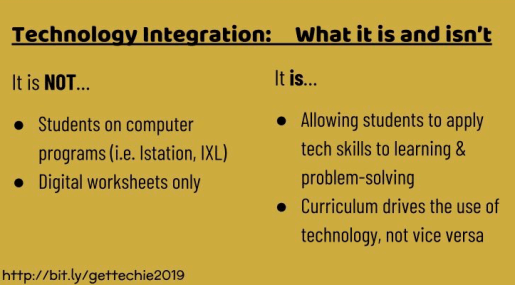
When determining if I am going to use a tool, first and for most I look at the terms of service, look for alignment with COPPA and then I use the search feature to see if there is an age restriction. If there are no restrictions then I move forward with exploring it more. The most important part of a tool that I look for is my students’ ability to engage and create. I find huge value in students creating with technology. I want them to not just be consumers, but also producers. Also, as I have been on this journey, I have really kinda made a bit of turn in what I do in technology. I think at one time I would just try anything and everything just to try without the learning standard being at the forefront. I try and be careful now that I am not using technology just to use it, but that it is serving a greater good and purpose of enhancing the learning goal. As mentioned in one of the comments made, I want my students to use a few tools well. That way the tools are seamless in lessons. There shouldn’t be so many used that are new and different that it bogs down the goal of learning.
Two of my big ideas in teaching is collaboration and creation. Web 2.0 tools allow for both of those and I believe are a valuable part of what we need to be teaching our students as digital, 21stcentury learners.

 I have reconnected with twitter, kicking and screamer. I started this week annoyed with the idea of using it. My background in Twitter is very limited. I joined a few years ago when twitter was a big initiative in our district. We were encouraged to tweet and use hashtags with locations and such and I played with it some. I was semi active for a bit, but it was always kinda a headache. I would ask a teammate for help remember the hashtags and ask how to tag whoever with it. It really just seemed like too much work. The ease wasn’t there for me and I got away from it. When I used it, it was intentional and just too much work for me.


 The first tool I looked at is standard on all of our ipads and that is iMovie. I do think that iMovie can be intimidating at first, at least it was for me, but I found that students can figure it out quickly. I movies allows for students to to create videos or pictures pieced together in the form of a movie. Students can be creative and use green screen with imovie to do a report over something they learning, or even create like a newscast. Students can create books reports or do One thing I have done in the past in a preposition video where students will take a stuffed animal and take pictures of it in different places. The students would then add the picture along with a sentence using the preposition in an iMovie presentation.
  I also looked at PuppetPals2. This app allows students to make short videos Students will need to have access the microphone to add their voices and the camera if they are putting an image of themself in it . Students can either use selected characters or they even use a photo of themselves. (I think students will enjoy this part). Students can choose a setting and music to go in the background (or even no music). Students could do a biography report with this from that person’s point of view with them “talking.” They could just insert a picture of the person. In math students could explain how they solved a problem or explain how to do a specific skill. Student could also explain a science investigation and what theyy learned using the characters in Puppet Pals.
 EDTech